Organize
Events, RSVP, roster, messages and team updates.

VERATIME TEAMS / ATHLETE & COACH EMPOWERMENT
A clear plan for the week. Useful feedback for the athlete. A visible record of the season.
Now available on iPhone in the US, Android and the Web. Core coordination is free; Head Coach Premium covers each team’s authorized members.
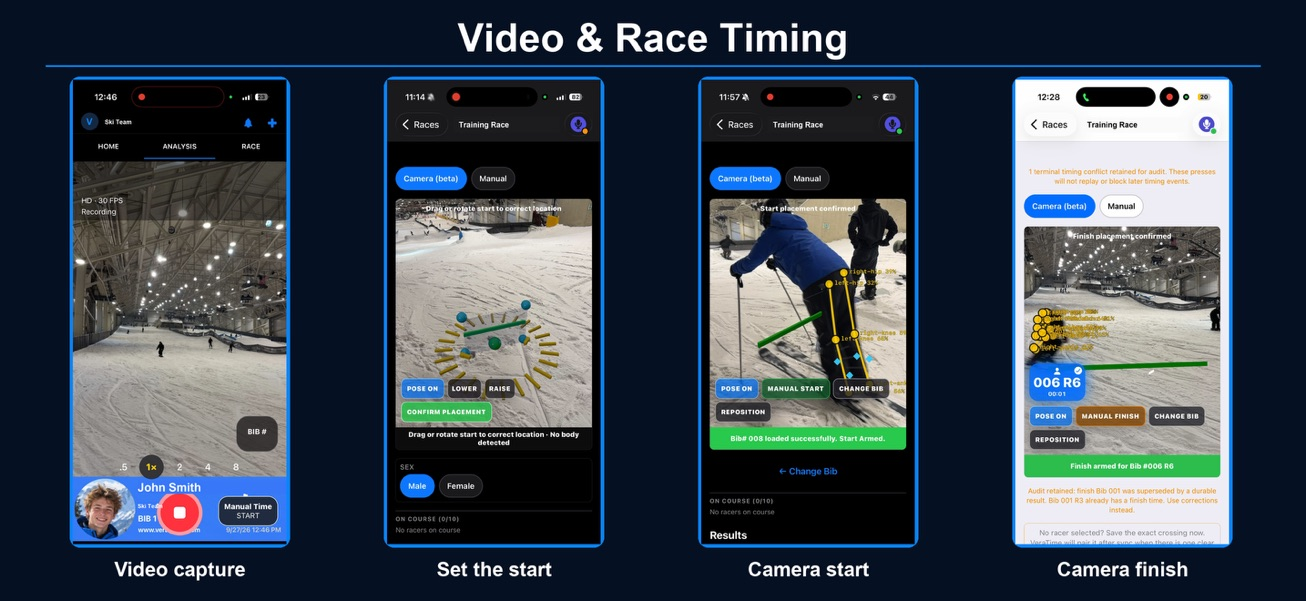
A focused home for coaches, athletes and families: coordinate the program, shorten the feedback loop and help everyone see the next step.
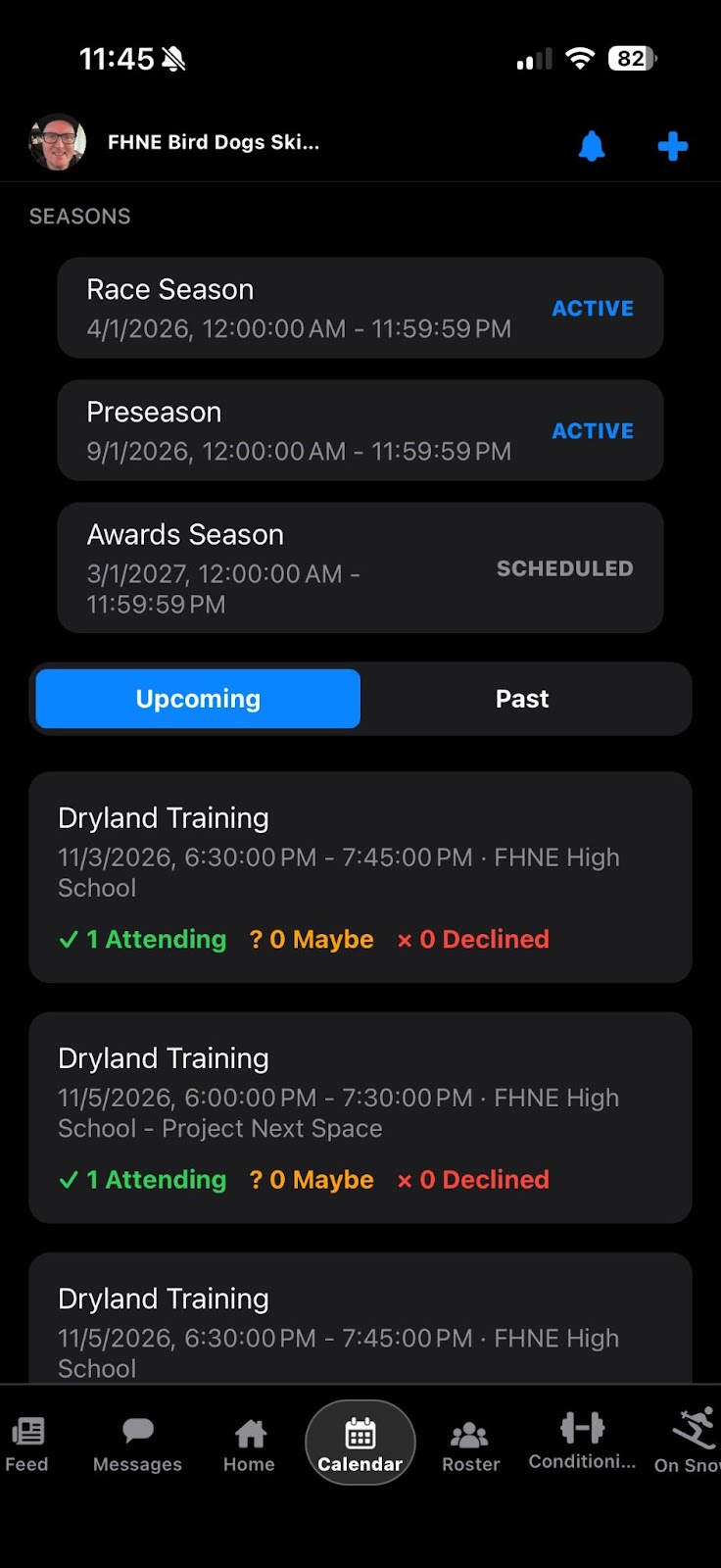
Events, RSVP, roster, messages and team updates.
Assigned athlete video, concise feedback and practice timing.
Goals, activity tracking, XP and recognition through the season.
A team calendar and the right conversation make a practice plan useful.
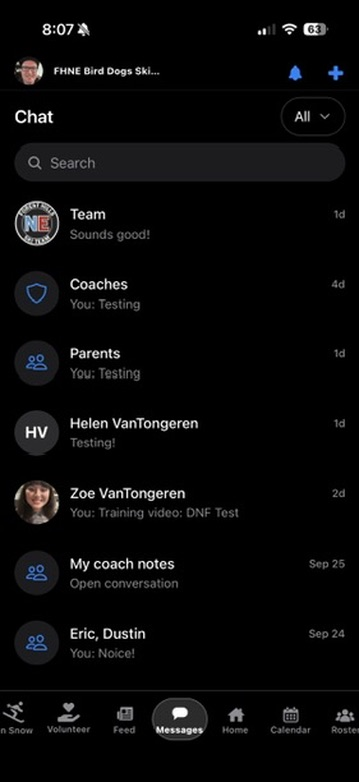
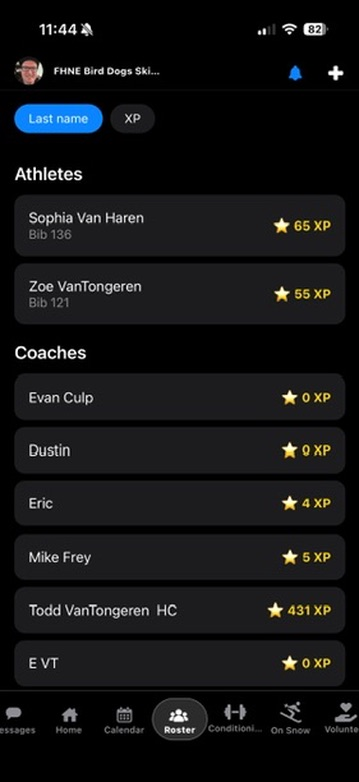
Record the athlete, confirm the assignment, review the coaching words and send. Athletes can watch, save permitted clips and return to their feedback.
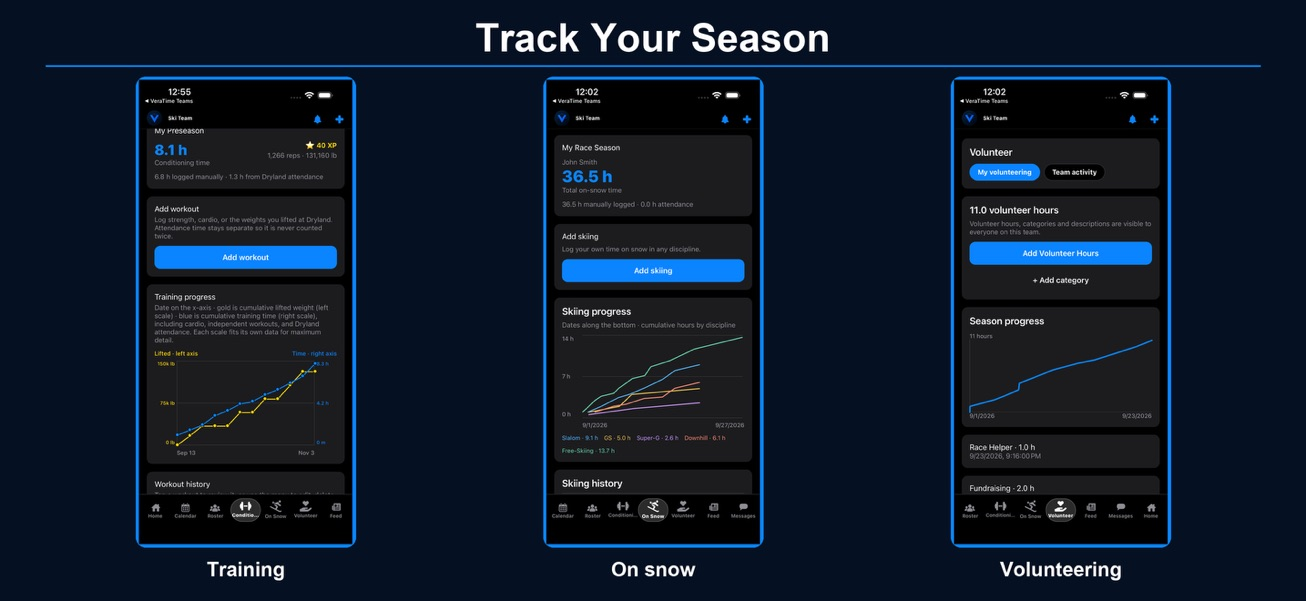
Conditioning and On Snow records help athletes reflect on consistency. XP and badges recognize participation and effort.
Ordinary cloud video is a 48-hour relay, not an unlimited archive. Save a permitted movie copy while available.
Transcribe and Condense depend on build, device capability and setup. Automated ski-technique diagnosis remains roadmap work.
The Head Coach buys Premium for the selected team. Athletes and parents use the access their team provides.
Create or request membership, confirm roles and guardian links, and RSVP to the next event. Practice timing, Analysis and activity tracking follow team access and role permissions.
View team membership optionsCheck the active team before posting. Review approval status after a join request. Membership in another team does not transfer its Premium access.
Read privacy and retention →Quick Start covers the first week. The full manual adds setup, permissions, coach capture, timing, camera diagrams and troubleshooting.