FIRST USE
Quick Start
A simple path to your first useful session, including camera-placement diagrams.
Download Quick Start · PDFFIELD GUIDES
Keep the short guide nearby. Use the full manual for deeper setup and recovery.
FIRST USE
A simple path to your first useful session, including camera-placement diagrams.
Download Quick Start · PDFCOMPLETE REFERENCE
Role-by-role workflows, permissions, timing, access and practical troubleshooting.
Download Full Manual · PDFPlace the camera outside the course and view the crossing diagonally at about 45°. Adjust downward tilt separately to keep the ground and athlete visible.
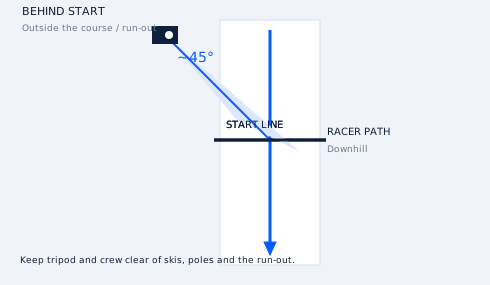
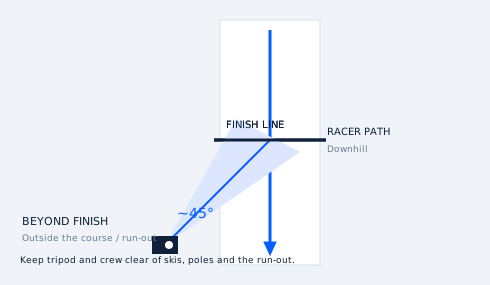
Align the actual and virtual lines, test a crossing and keep Manual ready. Timing capability differs by device/build; these diagrams do not establish support on every platform.
Guides updated October 5, 2026. Screens can differ by version.
See the app workflow →